Install Lifeforms and choose a lab
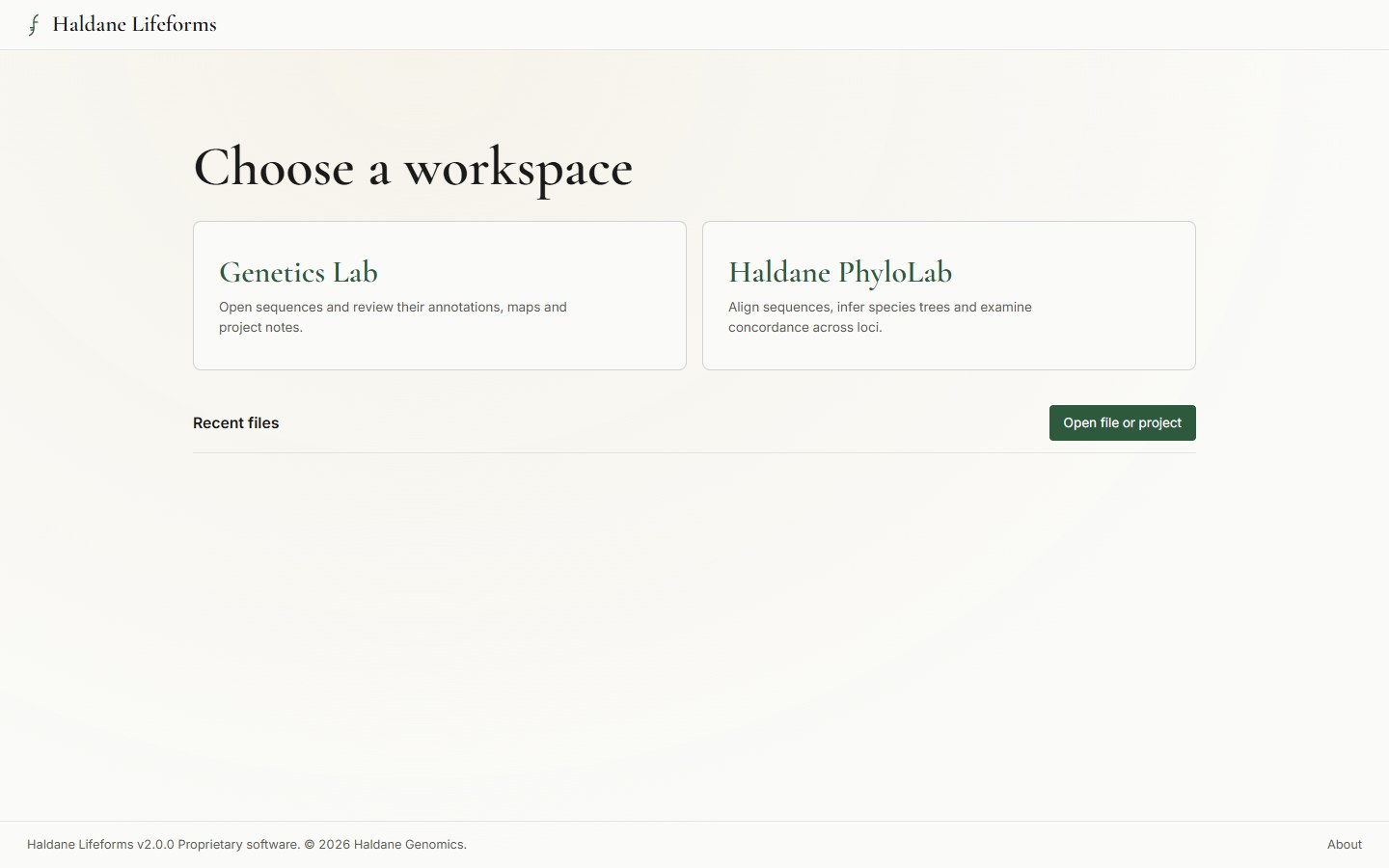
Download the Windows x64 application. Open the Workspace and choose Genetics Lab or Haldane PhyloLab, or open an existing project from that screen.
Haldane Lifeforms 2.0.1 beta brings Genetics Lab and Haldane PhyloLab into one desktop application. Review sequences and annotations, infer phylogenetic trees, and save your work in project files. Analyses run on your computer.
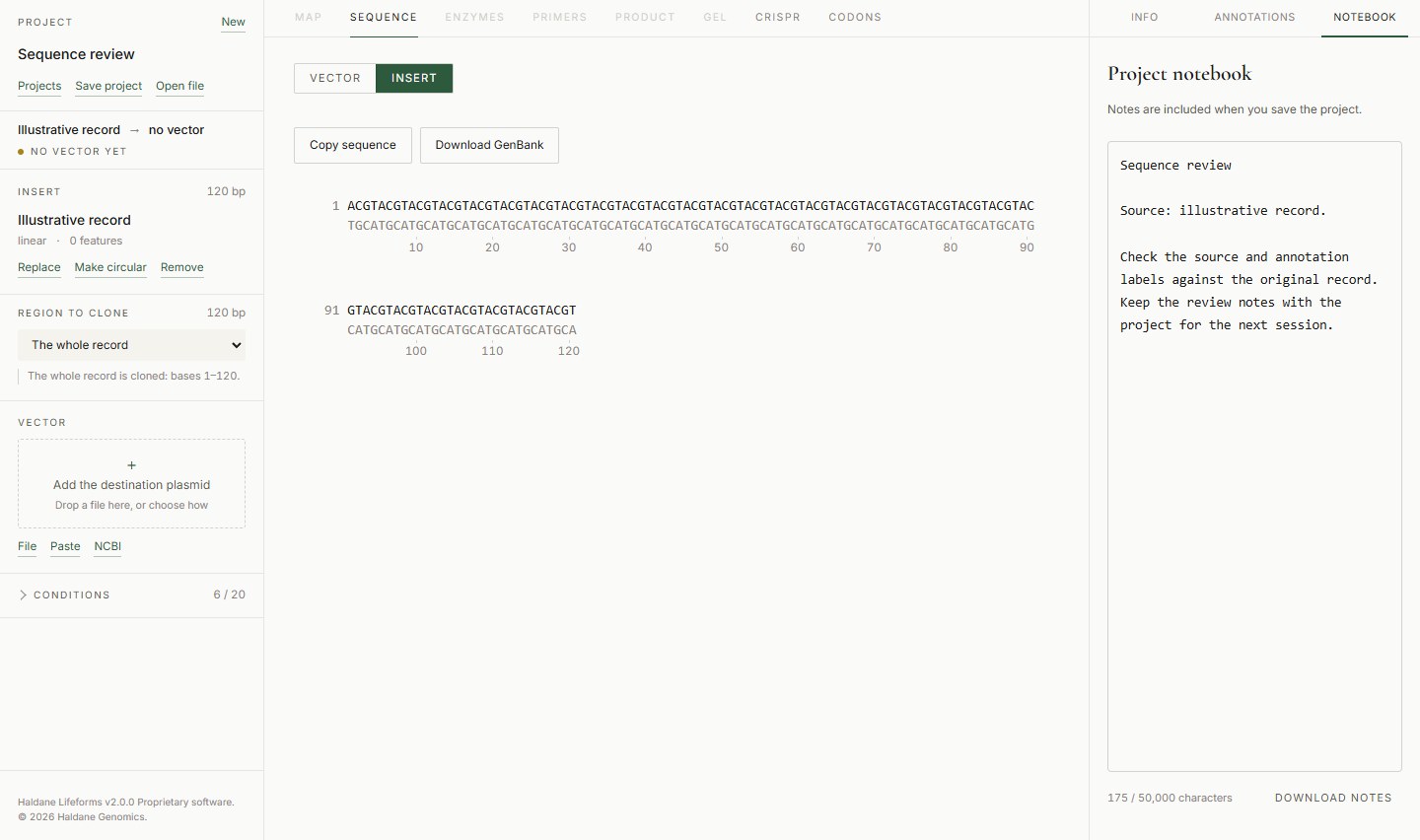
Genetics Lab brings its sequence and molecular biology tools to Lifeforms. Open FASTA, GenBank, EMBL and SnapGene files, or look up NCBI records when you are online.
The sequence viewer and map show the annotations for each record. The notebook keeps observations alongside the project data, which you can reopen or share as an .hgp file.
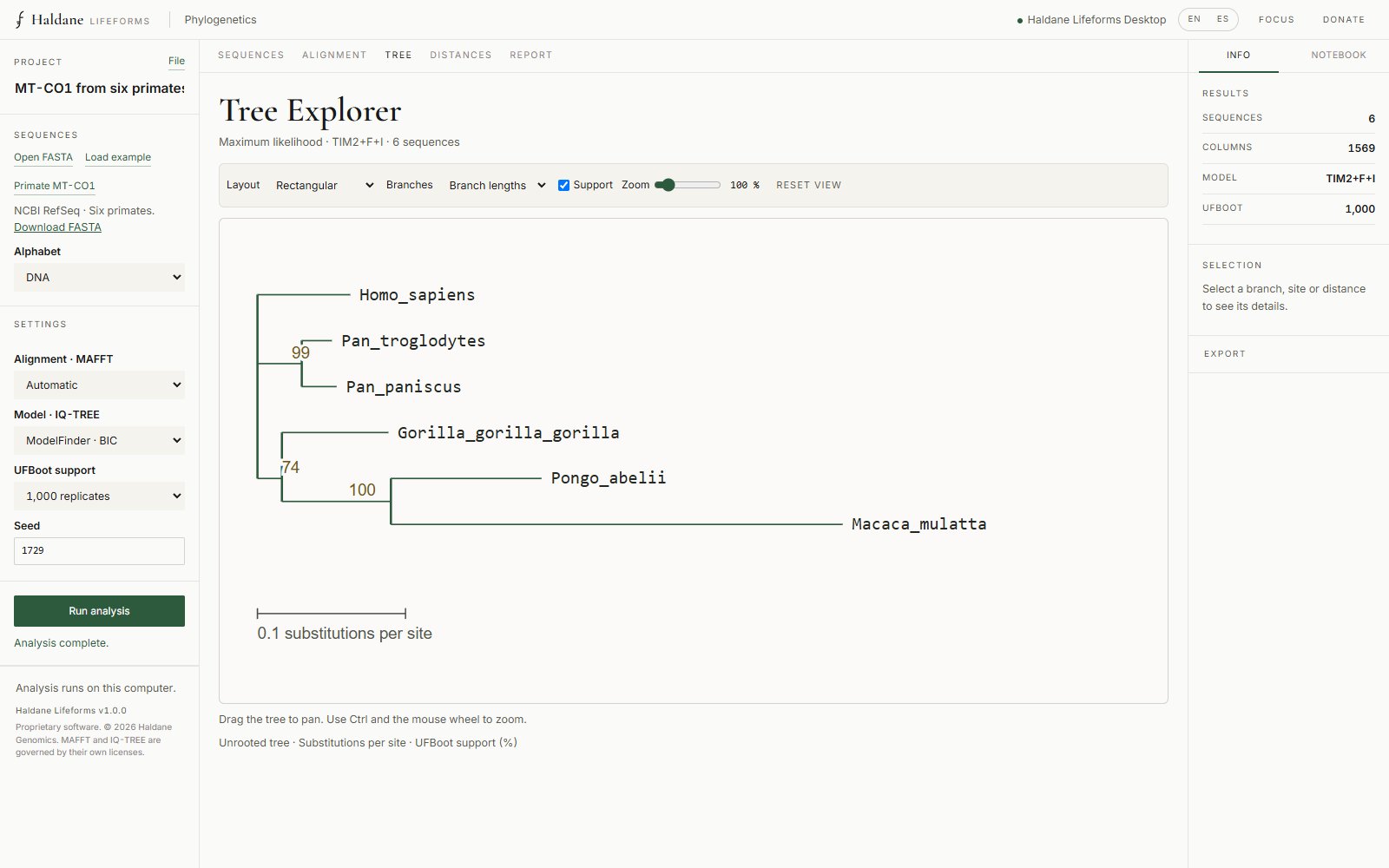
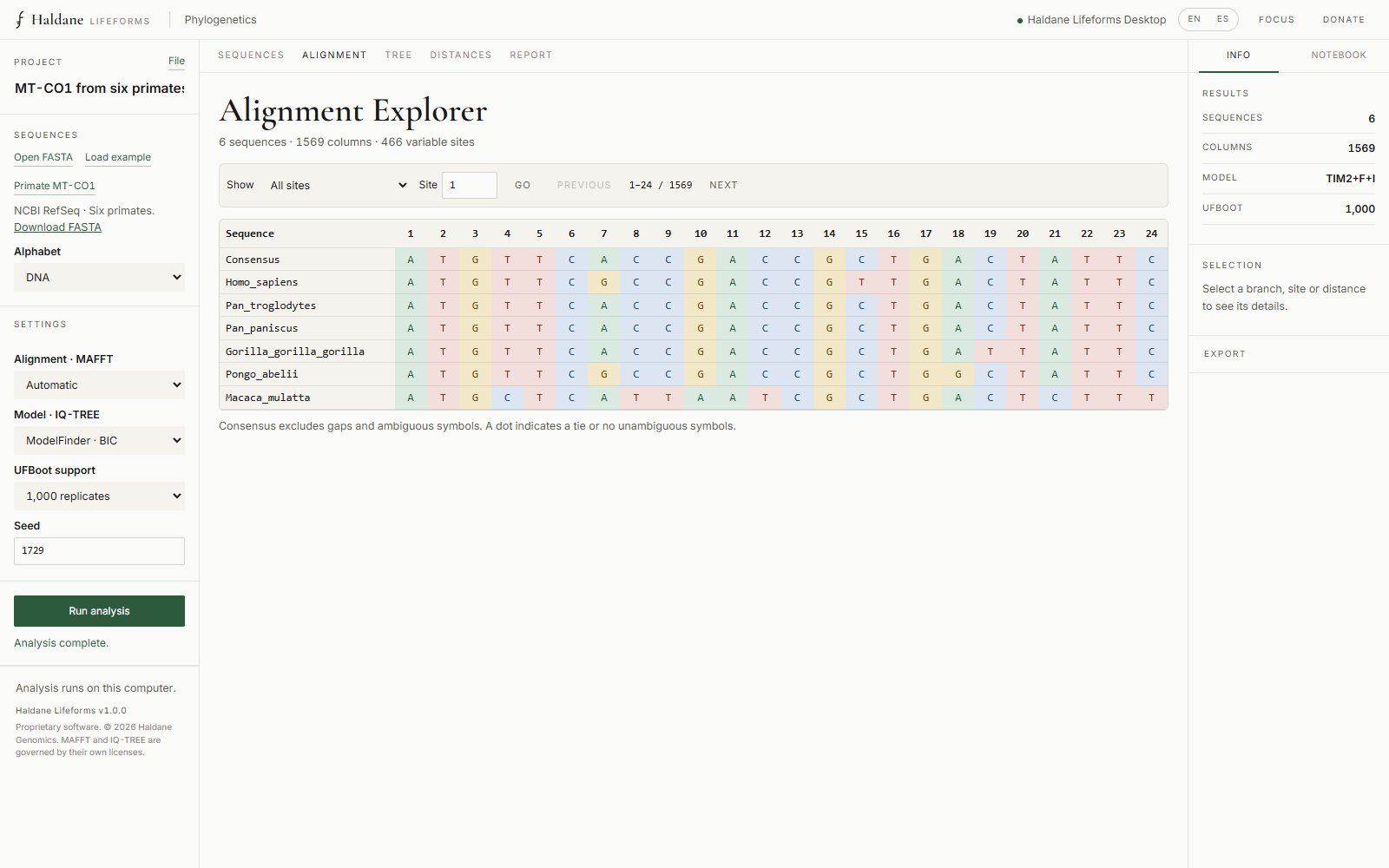
Lifeforms Desktop integrates MAFFT, IQ-TREE 2 and ASTRAL-IV to align sequences, infer trees and examine evidence across loci and species. The engines are included and computations run on your computer.
Version 2.0.1 beta accepts 4 to 1,000 sequences, up to 100,000 columns and 32 MiB of FASTA, subject to all limits together. Work with DNA or proteins, an existing alignment or up to 200 aligned loci. Projects preserve the history and provenance of each run.
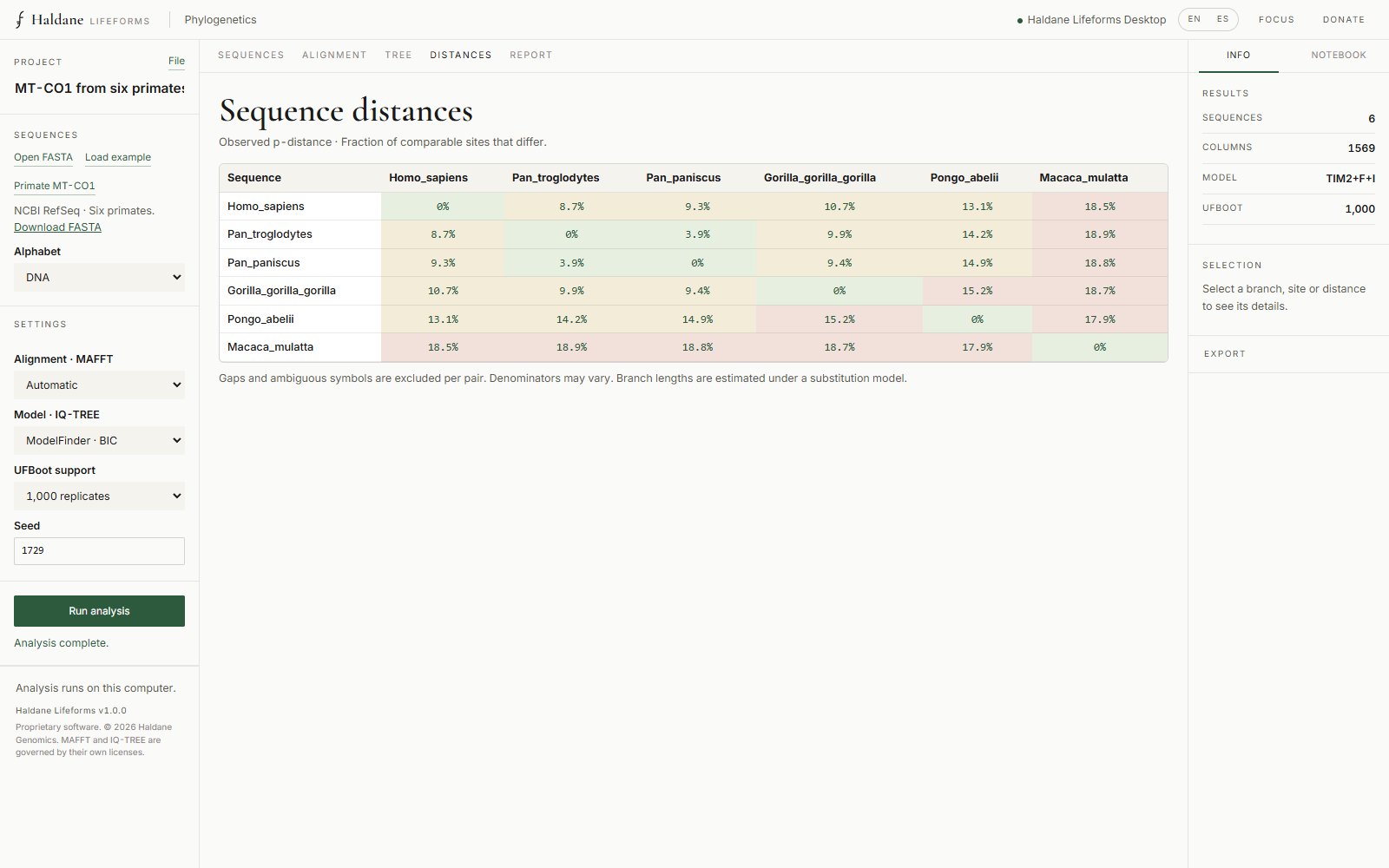
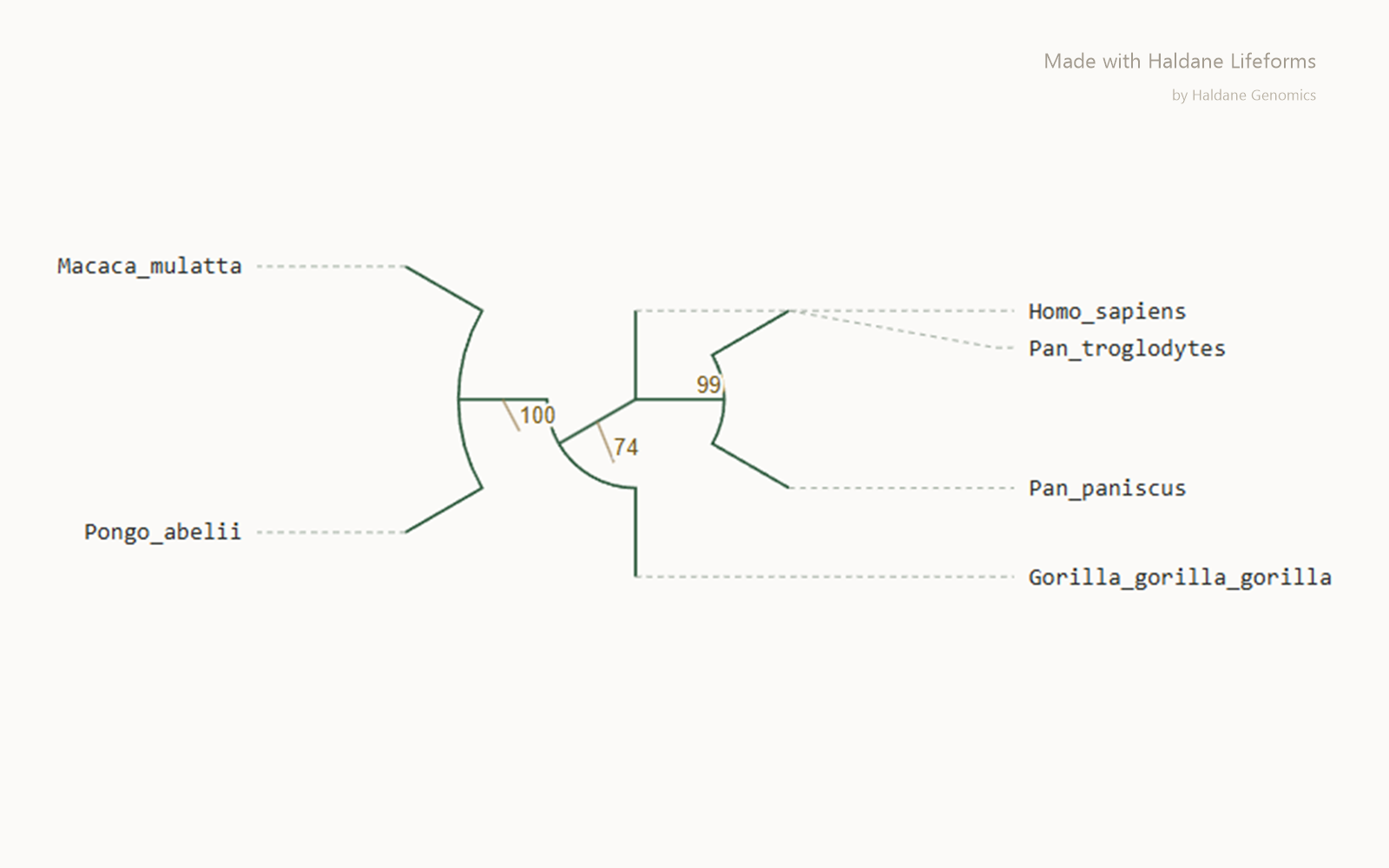
Download the Windows x64 application. Open the Workspace and choose Genetics Lab or Haldane PhyloLab, or open an existing project from that screen.
Import a sequence file or open an .hgp project with its records and notes.
Inspect sequences, maps and annotations. Use the notebook to document what you checked and where the data came from.
Save your work as an .hgp project to continue later. If you have projects from the web app, recover them in the browser where you saved them.
Local review and analysis work offline. NCBI searches require an internet connection.
Use “Choose sequences” to open a FASTA or load the primate MT-CO1 example. For multiple loci, import pre-aligned files under Partitions and review coordinates and coverage.
Choose DNA or protein, alignment, model and support measures. Set the seed, threads and time per stage. Advanced analyses offers concordance, coalescence, sensitivity and AU/SH; complete the species assignments for multiple samples per species.
To infer a species tree, import your aligned loci and enable “Concordance among loci · gCF” and “Coalescent species tree” in Advanced analyses. IQ-TREE 2 infers the gene trees and ASTRAL-IV combines them into a species tree. Check the sample-to-species assignments when working with several individuals per species. The report shows the number of gene trees used and branch support.
Follow progress or cancel the run. Explore the tree, alignment, distances and report; save the .hgl with its history and export figures, data, the integrated Markdown report or the visual report as PDF.
MAFFT, IQ-TREE 2 and ASTRAL-IV are included. Input must contain homologous regions. Size limits, runtime and memory requirements depend on the data and selected options. Version 1.0.5 .hgl projects remain compatible. This version works with homologous regions. Whole-chromosome assemblies require a separate alignment workflow.
Analyses in both labs run on your computer. NCBI queries, updates and usage analytics can use the network. Keep the following in mind when downloading and installing.
Our software and tools are free, but you can contribute with a donation so that we keep our tools up to date, functional and stable. You also help us advance the research branches we work on, to bring the world solutions and technological progress. If you want to receive updates and stay informed about our progress, join the waiting list.